Arrow Functions in JavaScript: A Simpler Way to Write Function
I hope you will like it.

These are another way to define a function in JavaScript. You can either directly create an arrow function or assign to them variables.
Below is the code for that
- For assigning arrow function to a variable. Note during initial scanning the storeArrow variable will be assigned to undefined and no function defination wil be stored in Global Exectution Context.
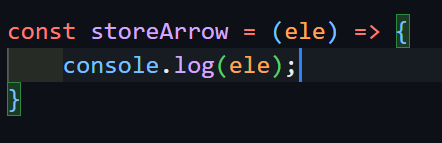
Syntax:
(parameters) => {logic and explicit return}
(parameters) => (implicit return)
(parameters) => implicit single line return
single_parameter => {logic and explicit return}
You don't need to learn all these just the first and second syntax are enough. but keep a note. These don't need to be remembered because you will eventually learn them.
(I think.)
Few Examples for each of the syntax
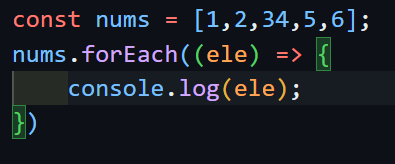
- First syntax (mostly used) I have used arrow function as a callback in forEach to iterate over the array nums. We must use return keyword if we open a scope {}.
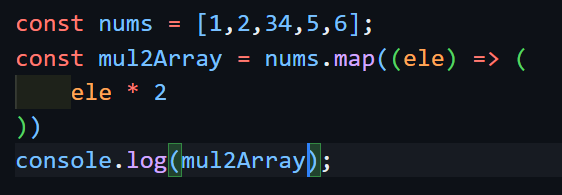
- Implicit return - We did not use
returnkeyword.
(parameters) => implicit single line return NO need of parenthesis

single_parameter => {logic and explicit return or single line implicit return} NO need of parenthesis while taking parameters because its clear that only one para will come.

Difference between normal and arrow function
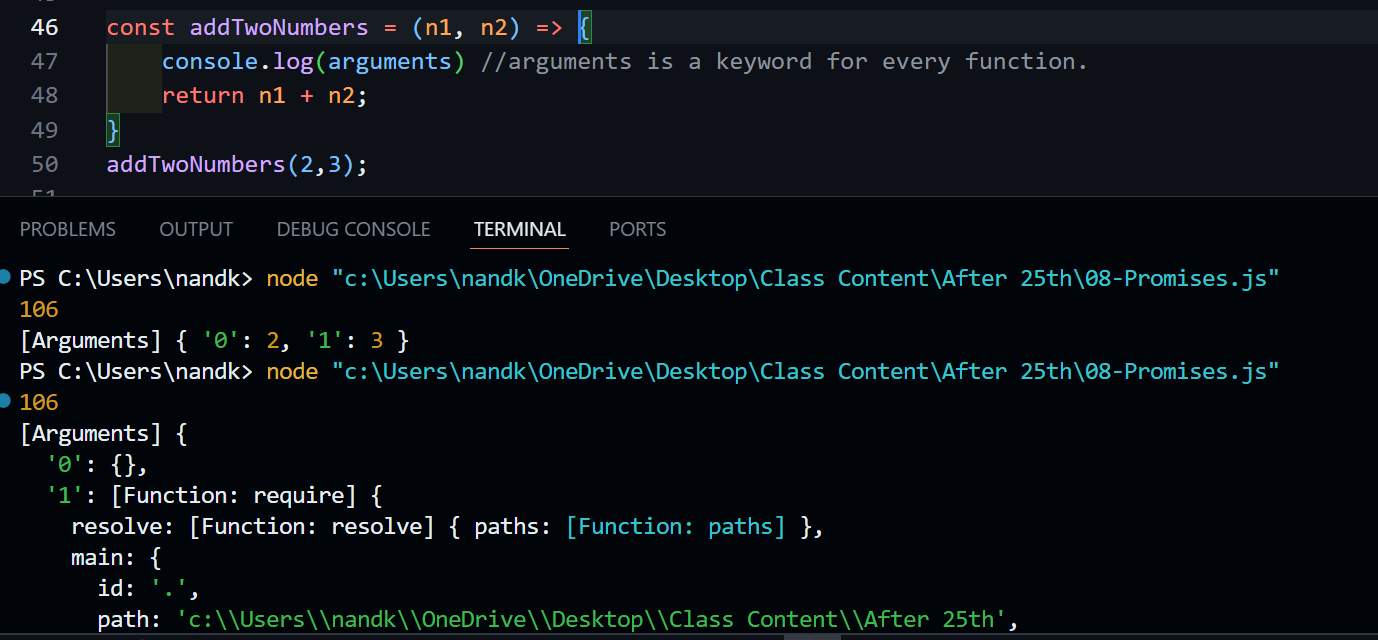
The only difference is that arrow function dont have their own this and the arguments object (the parameters you pass is stored in a form of a object just like 0 based indexing of array. Remember, once you have the argument object, you can check the args for its data type and edge cases.)) IMPORTANT If you want to target arguments in any condition, dont use arrow functions. Below is an example
- Normal function and function expression behave same here.

Output

But in case of Arrow functions - We did not get what we wanted that is the arguments
Thanks,
Nand Kishore
